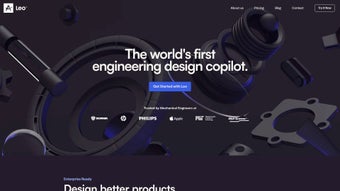

Download Leo AI – Generative AI CAD Design Tool for Engineers
Introduction: Transforming Mechanical Design with AI‑Driven Automation
In the fast‑moving world of product development, engineers are constantly searching for ways to cut down the time it takes to move from a vague idea to a detailed, production‑ready model. Traditional CAD workflows often involve repetitive sketching, manual dimensioning, and countless iterations before a design meets both functional and manufacturability requirements. Leo AI arrives as a cloud‑based, generative‑AI platform that reshapes this process by turning plain‑text descriptions, quick hand‑drawn sketches, or high‑level specifications into fully constrained, DFMA‑optimized 3‑D CAD models.
By leveraging a powerful language‑to‑geometry engine, Leo AI eliminates the manual “translation” step that has historically slowed mechanical design teams. The result is a dramatic reduction in concept‑generation time—often from days to minutes—while preserving the engineering rigor needed for downstream analysis, cost estimation, and production. Whether you are a solo inventor, a midsize engineering consultancy, or a large original equipment manufacturer, Leo AI offers a secure, subscription‑driven environment that continuously updates with the latest AI models and CAD libraries, ensuring you always work with the most current tools without the hassle of manual patches or upgrades.
This introduction sets the stage for a deeper look at how the platform works, its key capabilities, and why it may be the missing link in your digital product development strategy.
Overview & Core Features: What Makes Leo AI Stand Out
Leo AI is built around two tightly coupled modules: Leo Ideation, which interprets natural‑language prompts or simple sketches into multiple concept‑level geometries, and Leo CAD, which refines a chosen concept into a fully constrained assembly ready for simulation, CAM, or PLM integration. The platform’s generative engine respects Design for Manufacture & Assembly (DFMA) rules from the moment a model is created, automatically reducing part count, enforcing standard tolerances, and suggesting cost‑effective manufacturing methods. By learning from uploaded corporate design guidelines, the AI tailors its suggestions to match your organization’s engineering language, ensuring consistency across teams and projects. Because Leo AI lives in the browser, there is no need for heavyweight local installations; updates are rolled out automatically, keeping you on the cutting edge of AI‑driven design.
- Text‑and‑Sketch Generation: Input a description like “lightweight gearbox for 150 W motor” or drag a quick hand‑drawn sketch, and receive a set of 3‑D models that honor functional constraints.
- DFMA‑Optimized Output: Built‑in rules reduce part count, simplify assembly, and lower manufacturing cost.
- Rapid Ideation Engine: Generate dozens of design alternatives with instant performance metrics and cost estimates.
- Full‑Featured CAD Refinement: Convert concepts into constrained assemblies, add mates, apply tolerances, and create exploded views.
- Company‑Specific Guidelines: Upload internal standards so the AI aligns with your brand’s engineering practices.
- Collaboration & Version Control: Cloud workspaces enable real‑time commenting, change tracking, and role‑based access.
- Integrated Cost & Material Estimator: See projected manufacturing cost and material usage for each option.
- Secure Data Handling: AES‑256 encryption, ISO‑27001 certification, and optional on‑premise gateways.
- Cross‑Platform Browser Access: Works on Windows, macOS, Linux, iOS, and Android via modern browsers.
- Continuous AI Updates: Monthly model improvements and new features without manual patches.
Beyond the headline capabilities, Leo AI offers seamless export to native formats such as STEP, IGES, SolidWorks (*.sldprt), and Fusion 360, ensuring smooth hand‑off to downstream simulation and manufacturing tools. The built‑in documentation generator captures the AI’s reasoning, input parameters, and compliance checks, providing a valuable audit trail for regulated industries. This blend of rapid ideation, rigorous DFMA enforcement, and collaborative cloud workspace positions Leo AI as a true engineering copilot rather than a simple code‑generator.
Installation, Daily Use & Compatibility: Getting the Most Out of Leo AI
Zero‑Installation SaaS Experience
Leo AI is delivered as a Software‑as‑a‑Service (SaaS) solution, meaning there is no traditional download or local installation. To begin, visit https://leo.ai, click “Sign Up,” and choose a subscription tier that matches your team size. The platform supports single‑sign‑on (SSO) via SAML, Azure AD, or Google Workspace, streamlining onboarding for enterprises. After authentication, a guided wizard walks you through creating your first project, uploading any existing design standards, and selecting default material libraries.
From Concept to 3‑D Model in Minutes
In the Leo Ideation module, select “New Concept,” then either type a description such as “compact planetary gearbox for 250 W motor, 20 % weight reduction” or drop a quick sketch onto the canvas. The AI parses the input, proposes a set of feasible topologies, and displays them as thumbnail renders. You can filter results by part count, estimated cost, or manufacturing method (CNC, injection molding, 3‑D printing). Clicking a thumbnail opens a detailed view where constraints like torque, shaft diameter, or material can be fine‑tuned, with geometry updating in real time.
Refining and Assembling – Production‑Ready CAD
After selecting a concept, click “Refine in Leo CAD.” The engine automatically builds a fully constrained assembly, applies standard tolerances, and generates exploded views. At this stage you may add custom features, replace generic components with catalog parts from suppliers such as McMaster‑Carr or Misumi, and adjust mate relationships. A real‑time collaboration pane lets teammates comment, suggest alternatives, or lock components for compliance. When the design is final, use the “Export” button to download a STEP file, a SolidWorks part, or push the model directly to a PLM system via the REST API.
System Compatibility
Because Leo AI runs entirely in the browser, it is platform‑agnostic. Official support includes the latest versions of Chrome, Edge, Firefox, and Safari on desktop operating systems such as Windows 10/11, macOS 12+, and major Linux distributions. Mobile browsers on Android and iOS provide design review and comment capabilities, though full CAD editing is best experienced on a desktop with a mouse and keyboard. The cloud‑native architecture ensures you always work with the most recent AI models and CAD libraries without manual updates.
Maintenance, Security & Pricing
Security patches and AI model upgrades are applied automatically in the cloud. Users receive in‑app notifications with changelogs and optional walkthrough videos. For highly regulated sectors, a private‑cloud or on‑premise gateway option keeps all design data behind corporate firewalls. Subscription billing is handled via Stripe or direct invoicing, and the “Manage Subscription” page lets you upgrade, downgrade, or cancel at any time.
Pros, Cons, FAQ & Conclusion: Should You Download Leo AI?
Pros – Why Engineers Love Leo AI
- Accelerates concept generation from hours to minutes.
- Delivers DFMA‑optimized models that reduce downstream manufacturing complexity.
- Cloud‑native, no local hardware constraints or manual updates.
- Integrates company‑specific design guidelines for consistent output.
- Robust real‑time collaboration and version control.
- ISO‑27001‑compliant security with optional on‑premise deployment.
- Broad export support (STEP, IGES, SolidWorks, Fusion 360) for seamless downstream workflow.
- Continuous AI improvements without user intervention.
Cons – Considerations Before Committing
- Subscription pricing may be higher than traditional perpetual CAD licenses for solo freelancers.
- Full‑feature CAD editing works best on a desktop; mobile experience is limited to review.
- Reliance on an internet connection; no offline mode is currently available.
- Engineers unfamiliar with AI‑driven design may face an initial learning curve.
- Uploading detailed corporate guidelines can be time‑consuming during early adoption.
Can Leo AI generate designs for both metal and plastic parts?
Yes. Leo AI includes material libraries for common metals (aluminum, steel, titanium) and engineering plastics (PA12, ABS, PEEK). When you specify a material, the AI optimizes wall thickness, draft angles, and feature geometry for the chosen manufacturing process.
Is there a free trial or a limited‑feature version?
Leo AI offers a 14‑day free trial that provides full access to both Ideation and CAD modules. After the trial, you can choose between Professional or Enterprise subscription plans. There is no permanent free tier, but the trial lets teams evaluate ROI before committing.
How does Leo AI ensure the generated designs meet industry standards?
The AI is trained on a curated dataset of verified mechanical designs and incorporates DFMA rules. You can also upload your own company standards, which the system uses to validate each generated part against tolerance, safety, and regulatory requirements.
Can I integrate Leo AI with our existing PLM system?
Absolutely. Leo AI provides a RESTful API and pre‑built connectors for popular PLM platforms such as Siemens Teamcenter, PTC Windchill, and Autodesk Vault. Designs can be pushed directly to the PLM repository with full metadata and version history.
What security measures protect my proprietary design data?
Leo AI uses AES‑256 encryption for data at rest and TLS 1.3 for data in transit. The service is ISO‑27001 certified, undergoes regular penetration testing, and offers role‑based access control (RBAC). For highly regulated sectors, an on‑premise deployment option is available.
Conclusion – Your Next Step Toward Intelligent CAD
Leo AI represents a significant leap forward for mechanical product development, marrying the speed of generative AI with the rigor of DFMA principles. Engineers who spend valuable hours translating sketches into CAD will see a measurable productivity boost, while organizations focused on reducing time‑to‑market will appreciate rapid iteration cycles and integrated cost estimation. The cloud‑first architecture guarantees you always have the latest AI capabilities, and the robust security framework safeguards intellectual property. Although the subscription model and need for a stable internet connection may not suit every solo practitioner, the overall value proposition for teams and enterprises is compelling. If you’re ready to transform how you design mechanical systems, download Leo AI today, start your free trial, and experience a new era of intelligent CAD creation.
Leo AI delivers on its promise of rapid, secure, AI‑driven design while maintaining the depth required for downstream engineering workflows. Its continuous updates, cross‑platform access, and strong collaboration tools make it a must‑have for modern mechanical design teams.



.png)



